Skip to content

Training · Progress · Nutrition

Know you’re
getting stronger.

Log every set in seconds, with last session’s numbers already on screen. Thrive turns months of training into proof - and builds your nutrition around the goal you’re training for.

iPhone · iOS 18 or later · Your data stays on your device

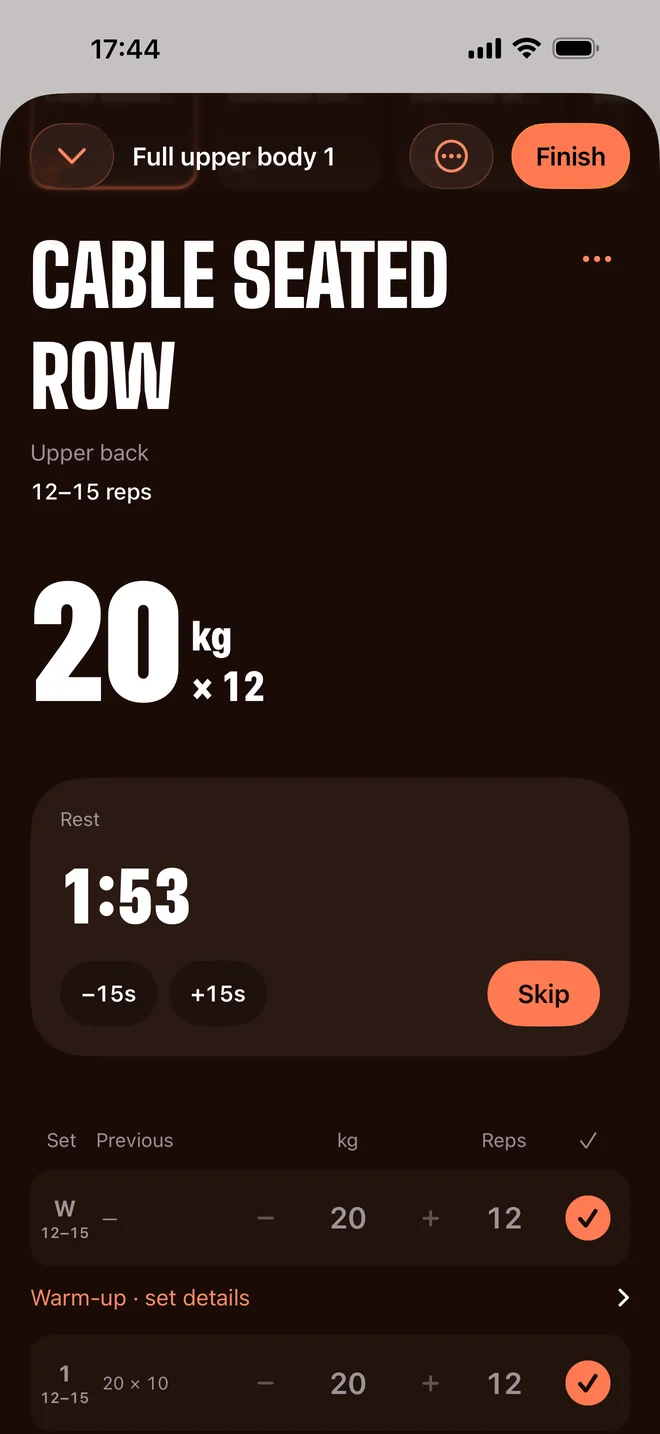
A live Thrive session: dumbbell bench press, sets at 22 kg for 10 reps, rest timer running
Set logging: three sets at 22 kg for 10 reps, with last session's 22 × 10 shown beside each row

In the gym

Built for the ninety seconds between sets.

You’re standing at a rack with chalk on your hands. Thrive is built for that moment, not for studying dashboards at a desk.

01

Last time, already on screen.

Open the session and every row is pre-filled with what you lifted last time. No scrolling back through a notebook to remember whether it was 20 or 22.5.

Dumbbell bench press

Chest · Triceps

1 / 3 sets

Rest · 90sSkip
SETPREVIOUSKGREPS
  1. 122 × 102210
  2. 222 × 102210
  3. 322 × 102410

Session volume

220kg

Quality over quantity.

An illustration of the Thrive session screen. Sample numbers - yours are whatever you lift.

02

Tap. Rest. Go again.

One tap logs the set and starts the rest timer. Big targets, no keyboard, nothing to think about while you're still catching your breath.

Dumbbell bench press

Chest · Triceps

2 / 3 sets

Rest · 90sSkip
SETPREVIOUSKGREPS
  1. 122 × 102210
  2. 222 × 102210
  3. 322 × 102410

Session volume

440kg

Quality over quantity.

An illustration of the Thrive session screen. Sample numbers - yours are whatever you lift.

03

It adds itself up.

Volume totals as you go, and the session closes itself out with everything you did. You walk out with the record already written.

Dumbbell bench press

Chest · Triceps

3 / 3 sets

Rest · 90sSkip
SETPREVIOUSKGREPS
  1. 122 × 102210
  2. 222 × 102210
  3. 322 × 102410

Session volume

680kg

Quality over quantity.

An illustration of the Thrive session screen. Sample numbers - yours are whatever you lift.
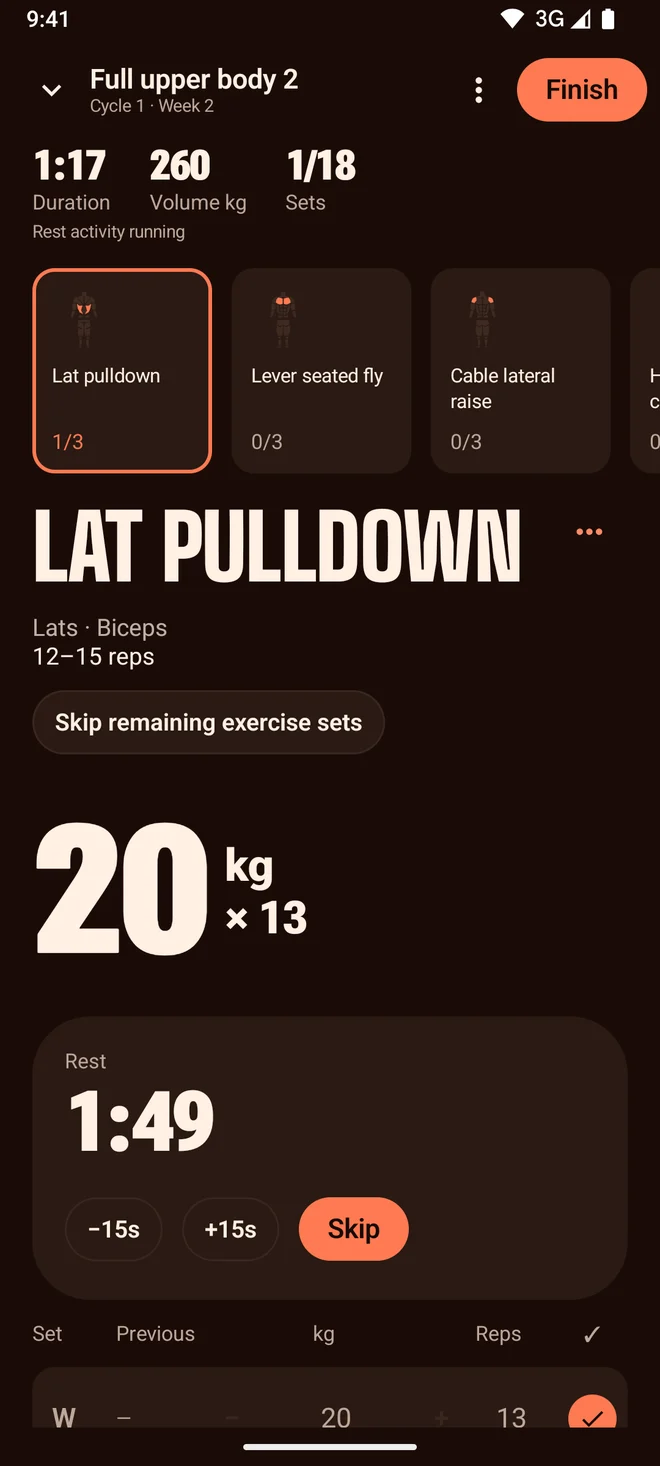
The real Thrive session screen: exercise cards, rest timer and the set table

Everything for the session, one screen deep.

An active Upper 1 session at 1 of 12 sets, with the exercises for the day as tappable cards
Dumbbell bench press, working chest and triceps, with movement notes
Rest timer counting 89 seconds, with a skip control

Swap between the day’s exercises, check the movement notes, add a set, or minimise the whole thing and pick it back up after a phone call. It survives you leaving the app.

A little stronger. A little more you.
What Thrive says when you rack the last set
Session complete: 220 kg total volume with every logged set listed

Progress

See what’s actually getting stronger.

Progress in the gym is slow enough that you can’t feel it week to week. Thrive keeps the receipts, so twelve weeks of work becomes a line instead of a hunch.

The Thrive progress screen: weight trend, sessions logged and daily energy

Stronger with time

Dumbbell bench press

2830323423 Jun7 Jul21 Jul4 Aug
Estimated one-rep max (kg) · a comparison tool, not a suggested lifting weight. Illustrated with sample data.

One number per movement, tracked over months.

Pick a lift and Thrive plots your estimated one-rep max from every set you’ve logged of it - so a heavier set for fewer reps still counts as progress, and a lighter week doesn’t read as failure.

It’s the Epley estimate, the same arithmetic strength coaches have used for decades. A yardstick for comparing your own sessions - never a weight to go and attempt.

Session summary for Upper 1 showing 220 kg of total volume

Total volume

Every session totalled the moment you finish it.

13 sessions logged in the last 28 days

Sessions

How often you actually showed up, over the last four weeks.

Wednesday's Upper session: four exercises at 2 × 8–12, each with its muscle groups

Exercise history

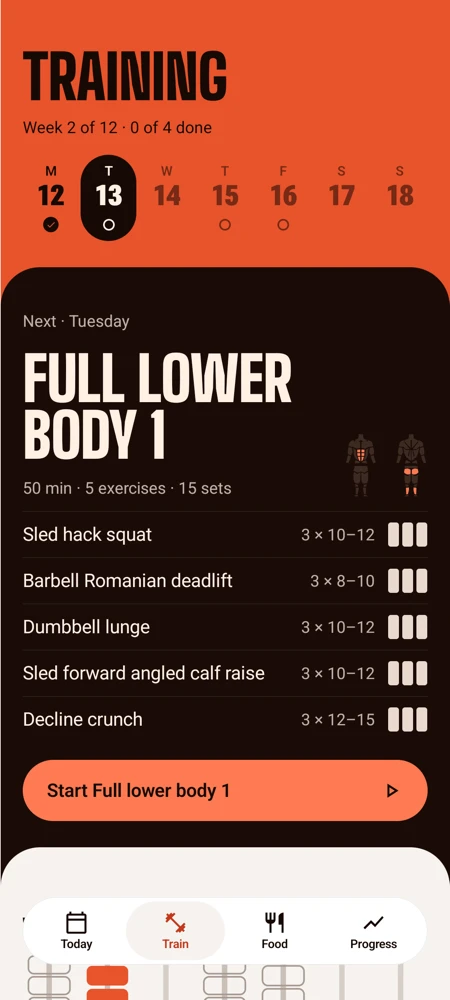
What each day asks of you, and what you've already ticked off.

Your programme

A plan that
fits your life.

Your goal, your equipment, the days you’ve actually got and the muscles you want to prioritise. Thrive turns those answers into a training week you can start tomorrow, plus the energy and protein targets to support it.

  1. Onboarding step eight: how old are you, used to estimate your energy needs

    Step 8

    Your numbers

  2. Onboarding step fourteen: choose up to three muscle groups to prioritise

    Step 14

    Your focus

  3. Designing your programme: matching your goal, schedule and focus areas

    Step 15

    The maths

  4. Designed for you: a full body and upper/lower split matched to your answers

    Step 16

    Your routine

  5. A plan that fits your life: a 2,630 kcal daily target with macro split

    Step 17

    Your targets

A full body and upper/lower routine matched to three training days and 45 minute sessions

Smart, not mystical

It’s arithmetic on your own numbers.

Your routine comes from your equipment, experience and time per session. Your targets come from published energy equations and the history you log. Every calculation runs on your iPhone - no account, no upload, no one else reading your numbers.

Your data stays on this device

Nutrition

Training is only half of it.

You can log every set perfectly and still stall. Thrive sets your energy and protein around the goal you’re training for, then keeps them honest as your weight moves.

  • A protein target set against your bodyweight and your goal.
  • Search a food, scale the portion, done.
  • A timeline from 6 AM to 11 PM, so lunch lands at lunchtime.
  • Targets that recalculate from your latest weigh-in.
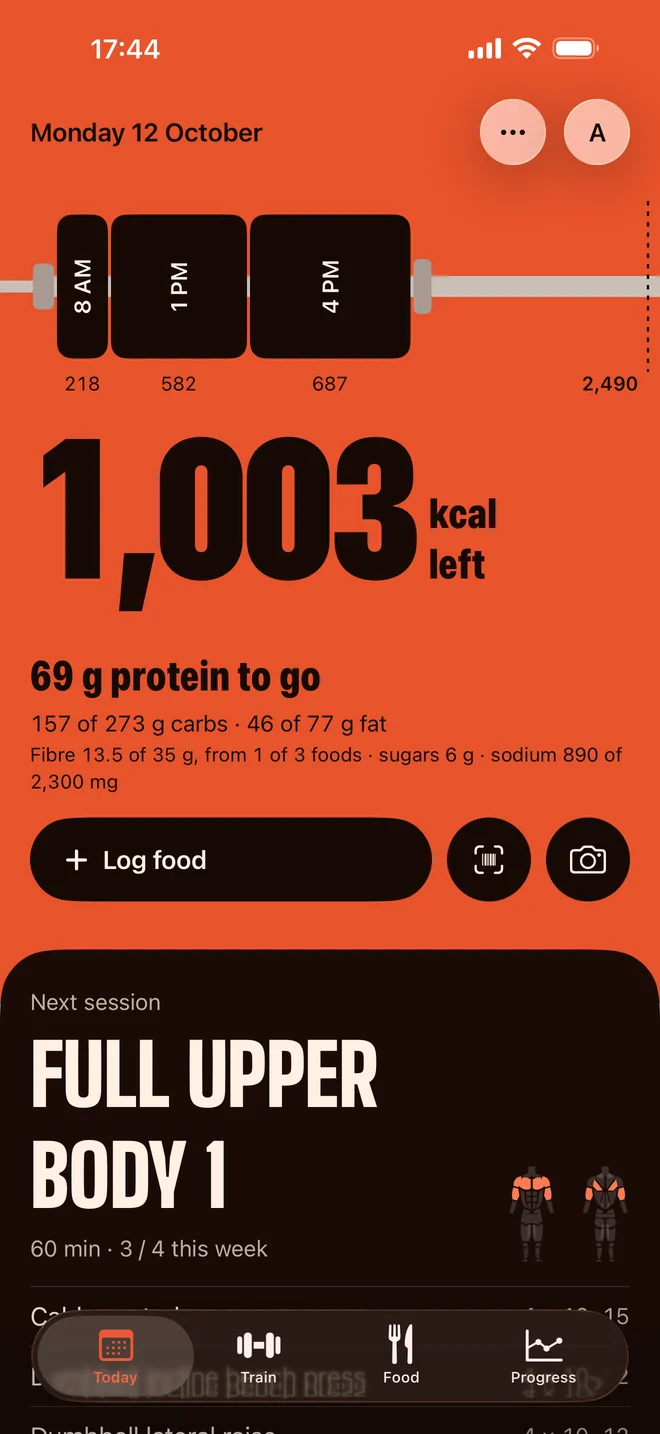
The Thrive food diary: energy remaining, protein, carbs and fat, and an hour-by-hour meal timeline
Energy remaining: 1,690 kcal of 2,490, with protein, carbs and fat bars

Today · 800 of 2,490 kcal

1,690 remaining

Protein

69/ 144 g

Carbs

76/ 305 g

Fat

24/ 77 g

Body

And the line follows.

One weigh-in is noise - water, salt, sleep, timing. Thrive averages across the weeks so you see the direction you’re going, and how far it is to where you said you wanted to be.

Weight trend falling from 79.7 kg to 78.4 kg over four weeks, against a 75 kg goal

One system

Nothing here
works alone.

A training plan is a guess until something checks it. Thrive closes the loop: logged sets become your strength history, weigh-ins correct your energy target, and next week moves with you instead of going stale by week three.

That’s the part a folder of separate apps can never do.

  1. Train

    Every set you log says what you did.

  2. Measure

    Your history says what's working.

  3. Fuel

    Your targets support where it's going.

  4. And round it goes.

Details

Yours, the way
you use it.

Built the way iPhone apps are meant to be built - so it fits however you have your phone set up.

Light or dark
Follows your phone, or pick one and stay there.
Text at any size
Every screen reflows for Dynamic Type - nothing clipped, nothing lost.
Kilos or pounds
Switch whenever. Your history comes with you.
Try it empty-handed
Explore a demo profile with four weeks of history before you enter a thing.
The Thrive Today screen in dark mode
The Thrive Today screen at an accessibility text size, with every element reflowed

Start where
you are.

No before photo. No fresh start on Monday. Log one meal, do one session, and let the line do the talking.

Download on theApp Store

iPhone · iOS 18 or later

The Thrive welcome screen: small steps, stronger you